Free YouTube Hashtag Generator
Generate YouTube Hashtags That Fit Your Video
Describe your video or paste a YouTube URL. Get a focused set for long-form videos or Shorts in seconds.
How the hashtag generator works
01
Add your video context
Describe the topic, paste a script, or add a public YouTube URL.
02
Generate a focused set
Choose Long-form or Short and create relevant hashtag groups.
03
Copy and publish
Copy the set, remove anything you do not need, and add it to YouTube.
Hashtag Generator helps you
Start with real video context
Describe your topic or paste a public YouTube URL so every suggestion begins with the content itself.
Build a focused hashtag mix
Compare core, niche, and specific suggestions instead of copying a generic wall of hashtags.
Optimize videos and Shorts
Switch formats before generating to get a set tailored to long-form uploads or YouTube Shorts.
YouTube Hashtag Best Practices, Built Right In
Strong hashtags clarify your topic for viewers and YouTube. Keep the set relevant, specific, and easy to scan.
Lead With Relevance
Keep only hashtags that directly describe the topic and viewer promise.
Mix Broad and Specific
Combine a recognizable category with niche phrases that describe the exact angle.
Use a Focused Set
Choose three to five strong matches instead of filling the description with weak options.
Match the Upload Format
Use the Shorts option for short-form uploads and review every suggestion before publishing.
Want more AI-powered creator tools?

20k+ 5 Star Reviews
“We use vidIQ every day to manage keywords, audit video performance, and research.”

Think Media
3M Subscribers • 340M Views
“vidIQ's extension and keyword research tools have helped me discover new opportunities on YouTube.”

Ali Abdaal
5M Subscribers • 420M Views
“vidIQ's daily ideas is where I find inspiration for my next hit video.”

SB737
4M Subscribers • 1B Views
“vidIQ has helped me beat the YouTube game and discover MILLIONS of untapped views.”

The Spiffing Brit
8M Subscribers • 833M Views
“vidIQ helps me in many ways. One is their Video Boost which finds the most relevant keywords.”

Chad Wild Clay
14M Subscribers • 7B Views
“vidIQ has an awesome suite of services. I recommend all of my companies use it for YouTube.”

Mark Cuban
Entrepreneur • vidIQ Investor
“We use vidIQ every day to manage keywords, audit video performance, and research.”
Think Media
3M Subscribers • 340M Views
“vidIQ's extension and keyword research tools have helped me discover new opportunities on YouTube.”
Ali Abdaal
5M Subscribers • 420M Views
“vidIQ's daily ideas is where I find inspiration for my next hit video.”
SB737
4M Subscribers • 1B Views
“vidIQ has helped me beat the YouTube game and discover MILLIONS of untapped views.”
The Spiffing Brit
8M Subscribers • 833M Views
“vidIQ helps me in many ways. One is their Video Boost which finds the most relevant keywords.”
Chad Wild Clay
14M Subscribers • 7B Views
“vidIQ has an awesome suite of services. I recommend all of my companies use it for YouTube.”
Mark Cuban
Entrepreneur • vidIQ Investor
“We use vidIQ every day to manage keywords, audit video performance, and research.”
Think Media
3M Subscribers • 340M Views
“vidIQ's extension and keyword research tools have helped me discover new opportunities on YouTube.”
Ali Abdaal
5M Subscribers • 420M Views
“vidIQ's daily ideas is where I find inspiration for my next hit video.”
SB737
4M Subscribers • 1B Views
“vidIQ has helped me beat the YouTube game and discover MILLIONS of untapped views.”
The Spiffing Brit
8M Subscribers • 833M Views
“vidIQ helps me in many ways. One is their Video Boost which finds the most relevant keywords.”
Chad Wild Clay
14M Subscribers • 7B Views
“vidIQ has an awesome suite of services. I recommend all of my companies use it for YouTube.”
Mark Cuban
Entrepreneur • vidIQ Investor

Keep optimizing inside YouTube
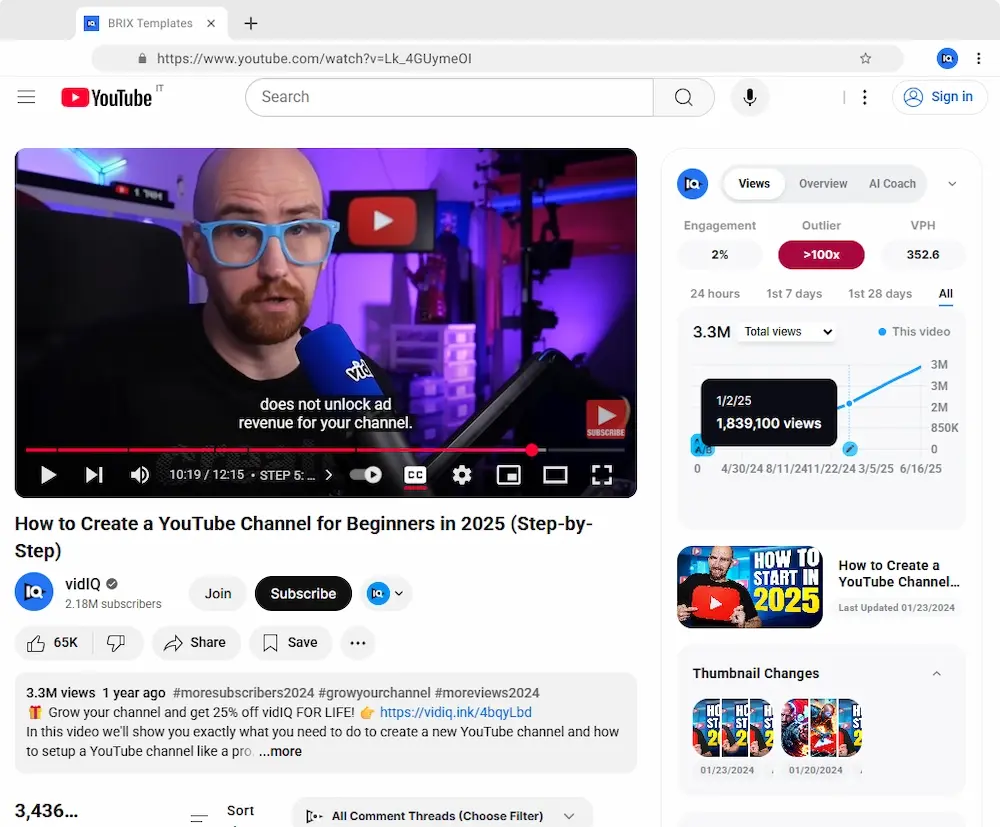
Use the vidIQ extension to research topics, improve metadata, and find your next opportunity without leaving YouTube.

vidIQ MCP
Do this inside Claude, ChatGPT or any other AI
vidIQ MCP puts 50+ creator tools and real YouTube data in your AI assistant. Free on every plan.
Available on every vidIQ plan, including Free.
 Claude
 ChatGPT
 Cursor
 Perplexity
- +3& more
Pair with Other vidIQ Tools
YouTube Title Generator
Turn your topic into click-worthy title ideas that communicate the payoff.
YouTube Tag Generator
Create a relevant set of YouTube tags for the video metadata field.
YouTube Description Generator
Write an optimized description that supports the title, topic, and viewer intent.
All included with a free vidIQ account
YouTube Hashtag Generator FAQs
Generate the right hashtags for your next YouTube video.