Best YouTube SEO Tools in 2026: 5 Tools Compared

We compared the top YouTube SEO tools to see which ones best help creators get found in YouTube Search. Here are our findings.

Feature matrix

YouTube SEO Tool Feature Comparison

SEO capabilityvidIQTubeBuddySemrushTubeRankerYouTube Studio
Keyword researchYesYesYesYesLimited
Search demandYesYesYesYesLimited
CompetitionYesYesYesLimitedLimited
Metadata optimizationYesYesLimitedYesNo
Optimization guidanceYesLimitedLimitedYesLimited
Search performanceYesLimitedNoNoYes

Transparent evaluation

How We Evaluated the Best YouTube SEO Tools

01

Keyword research

Find the words and questions people use in YouTube Search.

02

Search demand

Estimate whether enough viewers search for a topic to make it worth targeting.

03

Competition

Understand how difficult it may be to rank against the current results.

04

Metadata optimization

Improve titles, descriptions, tags, and related video details without stuffing keywords.

05

Optimization guidance

Assess how clearly each tool recommends or automates the next optimization step.

06

Search performance

Measure the search terms, impressions, views, watch time, and engagement a published video earns.

Detailed reviews

Five YouTube SEO Tools Compared

1

Best all-around YouTube SEO tool

vidIQ: Best All-Around YouTube SEO Tool

A broad YouTube workflow for researching keywords, comparing opportunities, optimizing videos, and reviewing search performance in one place.

Recommendation

Choose vidIQ if you want one tool to cover the largest share of a practical YouTube SEO workflow.
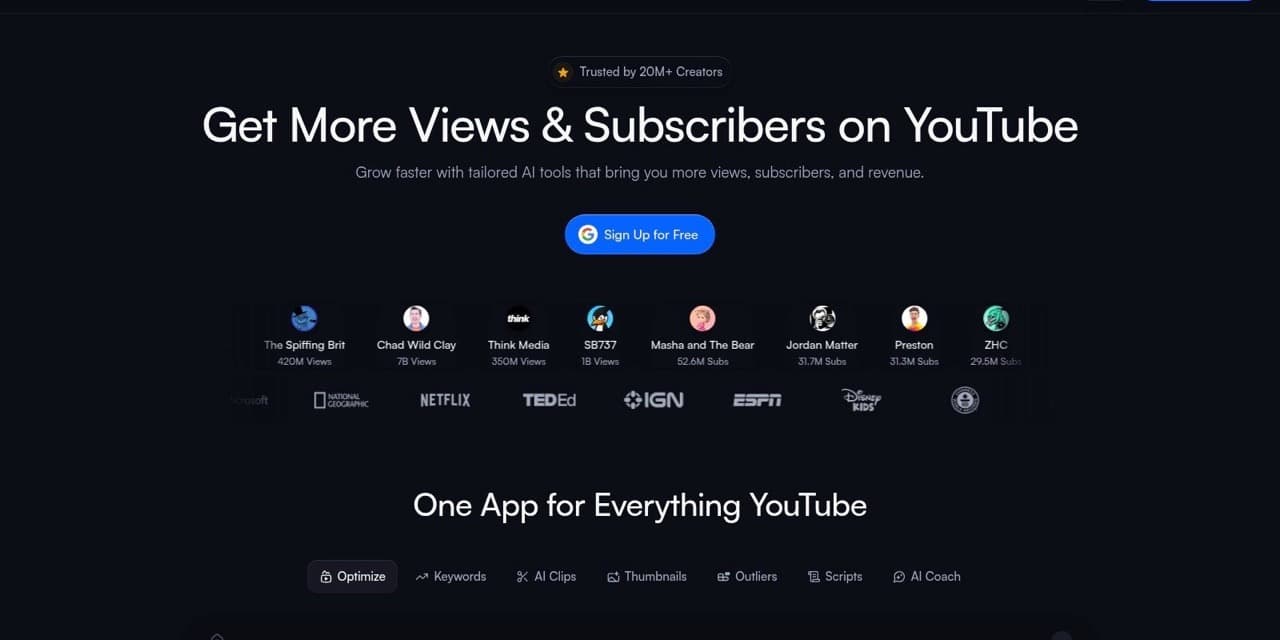
vidIQ homepage for its YouTube creator tools
Pros + Cons

Pros

  • Combines keyword research and video optimization in one workflow
  • Shows search demand and competition signals for topic evaluation
  • Connects research to channel-specific performance insights
  • Offers a free starting point for creators

Cons

  • Dedicated daily rank tracking is not the main product focus
  • Some research and optimization features require a paid plan
  • The breadth of features can take time to learn
Key Features
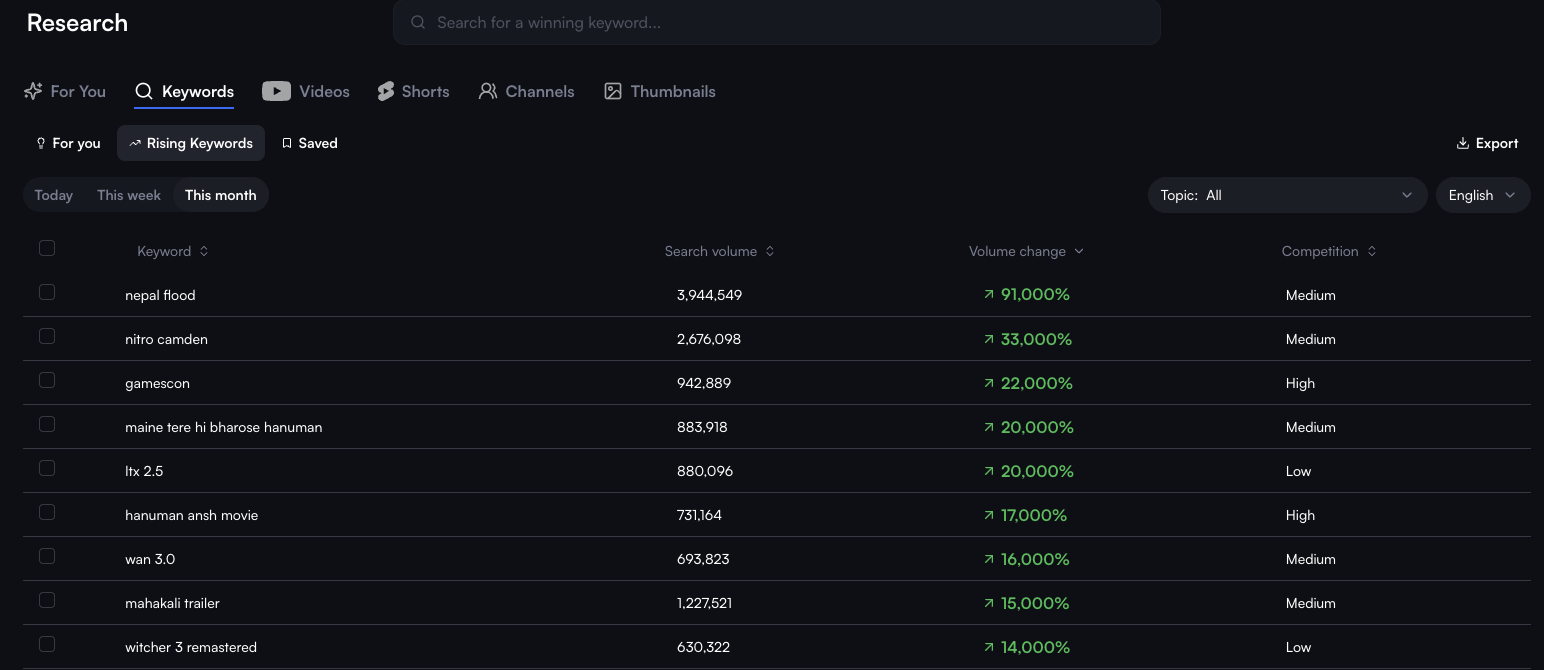
Keyword research tool
Compare YouTube search volume, competition, keyword scores, related searches, and rising keywords before choosing a topic.
vidIQ Rising Keywords research dashboard
Competitors
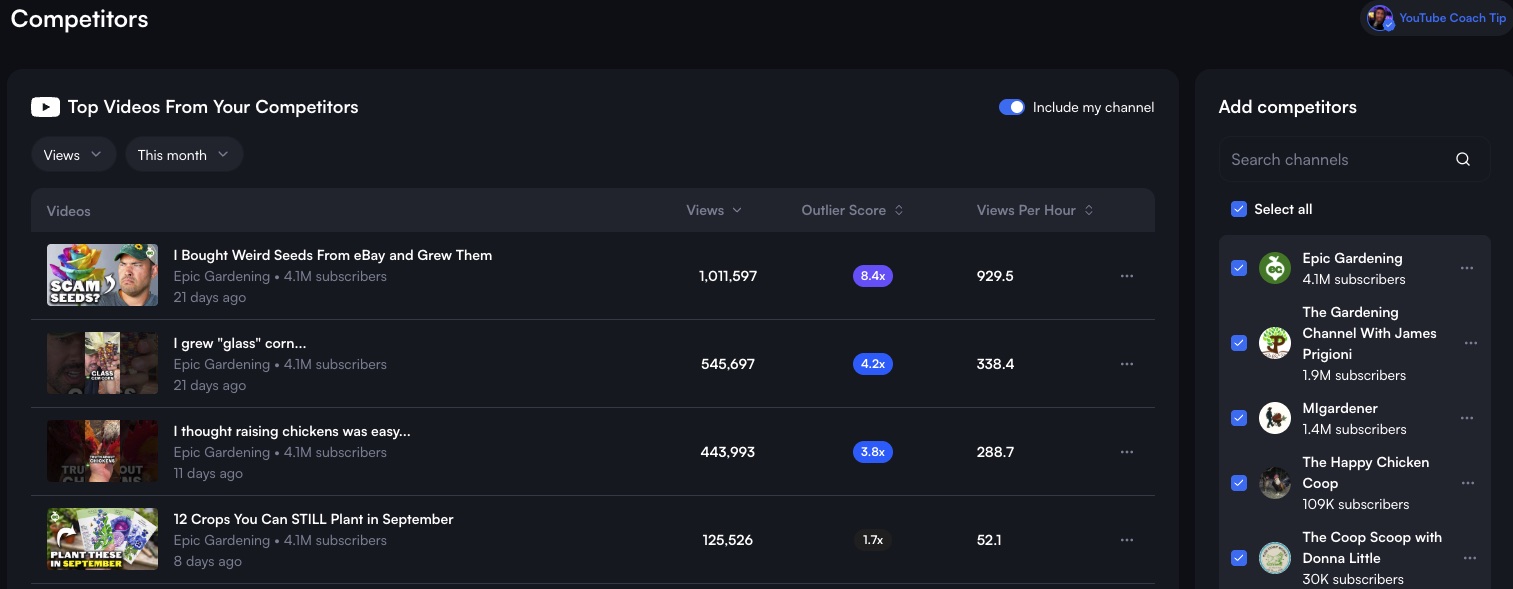
Track competing channels and sort their top videos by views, views per hour, and outlier score to see which topics are working in your niche.
vidIQ Competitors dashboard showing top competitor videos
Browser extension
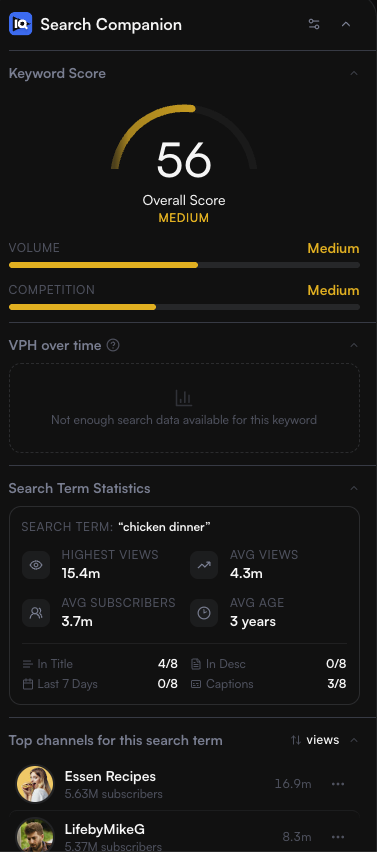
View keyword scores, demand, competition, search-result statistics, and leading channels directly while browsing YouTube.
vidIQ browser extension keyword score panel
Keyword-based title, description, and tag generators
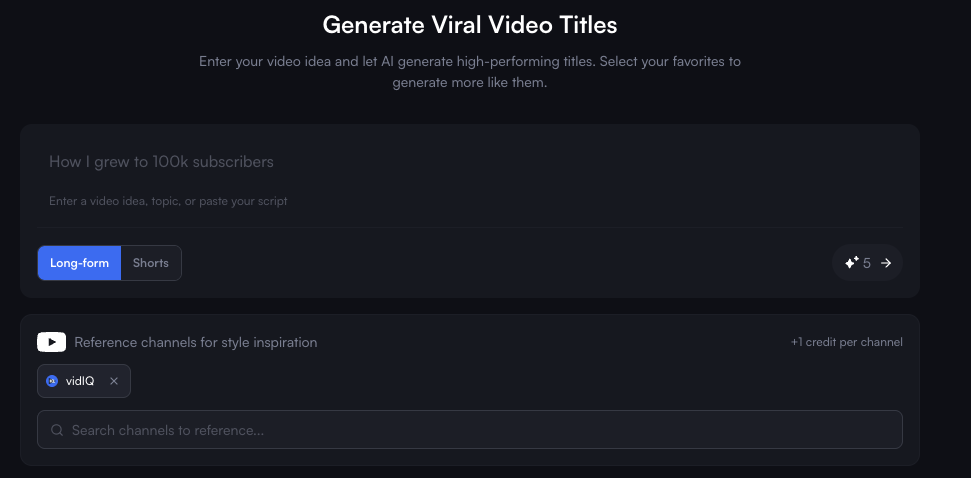
Turn a target keyword or video idea into suggested titles, descriptions, and relevant tags, then edit the output before publishing.
vidIQ title generator using a video idea as its input
Pricing
Free
Limited keyword research, competitor tracking, extension tools, content ideas, and 150 monthly AI credits.
Boost
Expanded research, optimization, trends, competitor insights, creation tools, and 2,000 monthly AI credits.
Max
Everything in Boost with higher AI limits, Max Mode, and additional clipping and generation capacity.
Coaching
vidIQ tools combined with one-on-one guidance, a personalized growth plan, and expert feedback.
Enterprise
Multi-channel access, team roles, centralized reporting, onboarding, and priority support.
2

Best for bulk SEO updates

TubeBuddy: Best for Bulk SEO Updates

A YouTube browser extension centered on Keyword Explorer, with more advanced optimization and channel-management tools available on paid plans.

Recommendation

Choose TubeBuddy if you like its Keyword Explorer workflow and expect to use paid optimization or bulk tools as your channel library grows.

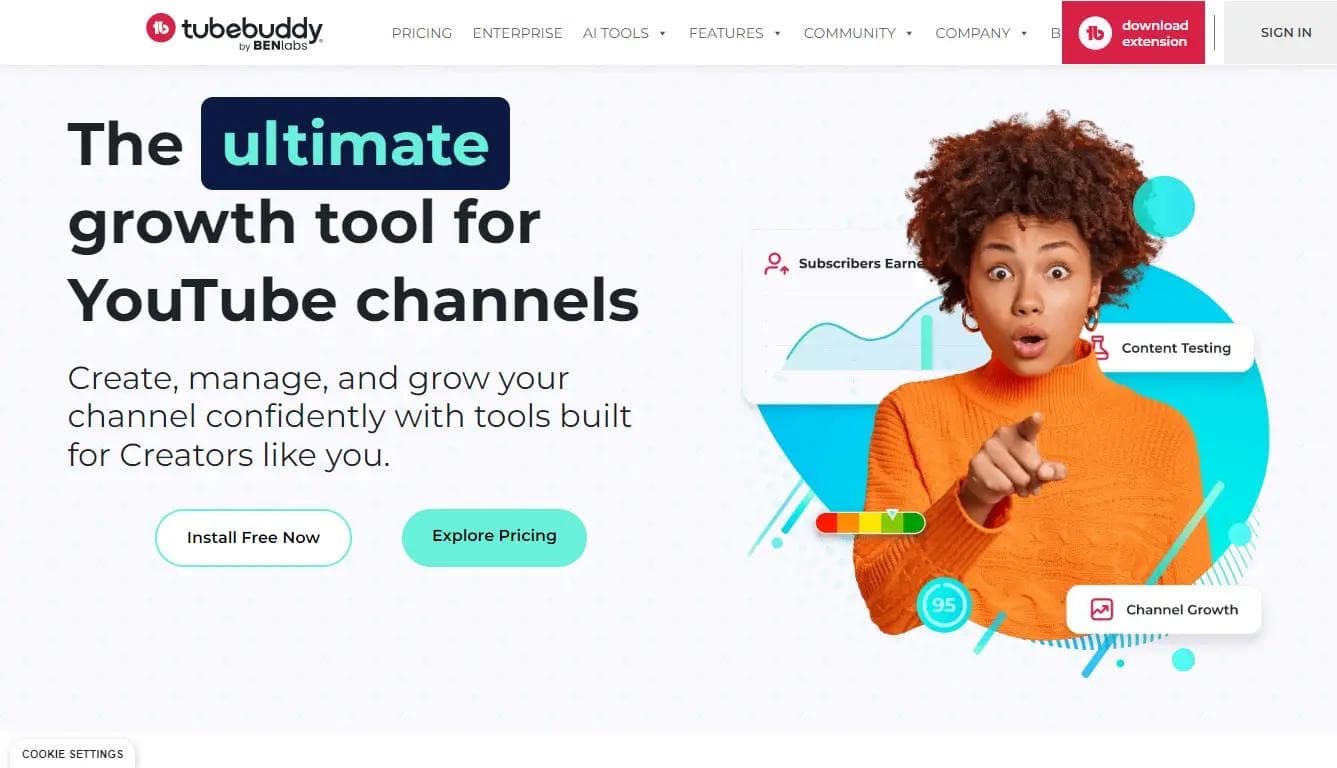
TubeBuddy homepage for its YouTube growth tools
Pros + Cons

Pros

  • Keyword Explorer combines demand, competition, and the current search landscape
  • Works directly inside the YouTube workflow through a browser extension
  • Paid plans add SEO Studio, testing, and more advanced optimization tools
  • Higher tiers support bulk updates across an established video catalog

Cons

  • Free Keyword Explorer access has meaningful limits
  • The most useful optimization and bulk-processing features require paid plans
  • Licensing and feature access can vary by channel and plan
Key Features
Keyword Explorer
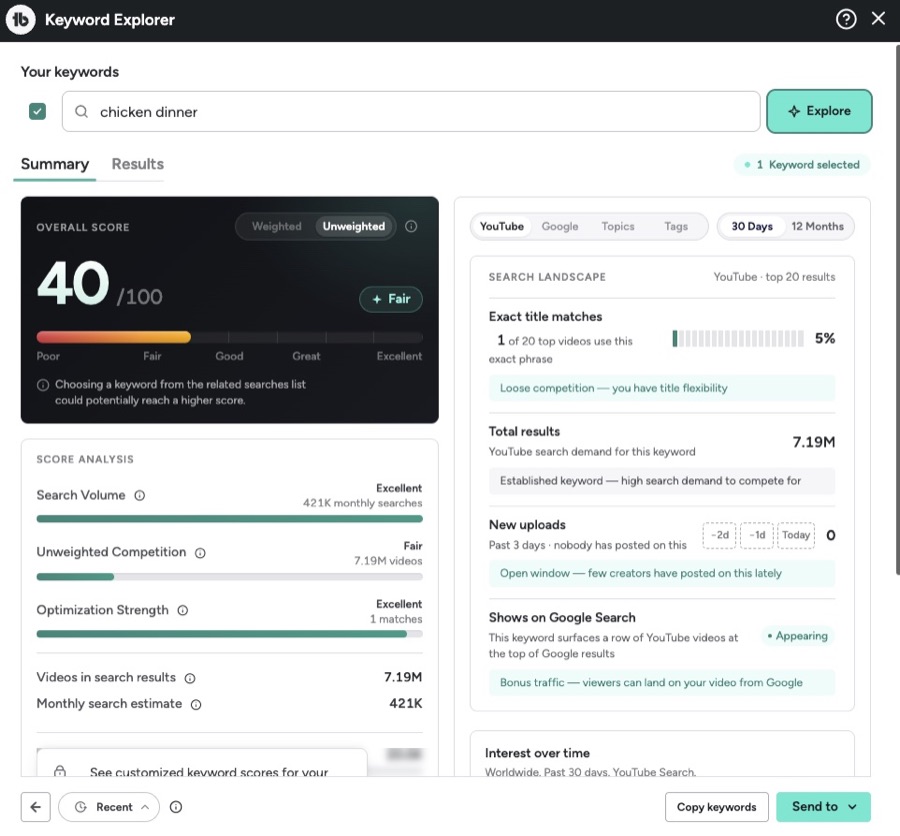
Evaluate an overall keyword score, estimated monthly searches, competition, optimization strength, recent uploads, and the current YouTube search landscape.
TubeBuddy Keyword Explorer analyzing a YouTube search term
Advanced paid tools
Paid access can add SEO Studio, A/B testing, deeper analytics, and bulk-processing tools. Availability and limits depend on the selected plan.
Pricing
Free
Limited extension access and basic creator tools for trying the workflow.
Pro
Basic title and tag optimization, content-strategy tools, and additional creator features.
Legend
Full search and SEO access, advanced reporting, bulk processing, and the broadest creator toolset.
Enterprise
Custom access for brands, businesses, and teams managing larger channel operations.
3

Best for SEO teams that want YouTube add-ons

Semrush: Best for SEO Teams That Want YouTube Add-Ons

A website-first search-marketing platform with a separate App Center add-on for YouTube keyword research.

Recommendation

Choose Semrush when your team already uses its broader SEO platform and wants a simple YouTube keyword-research add-on inside the same account.

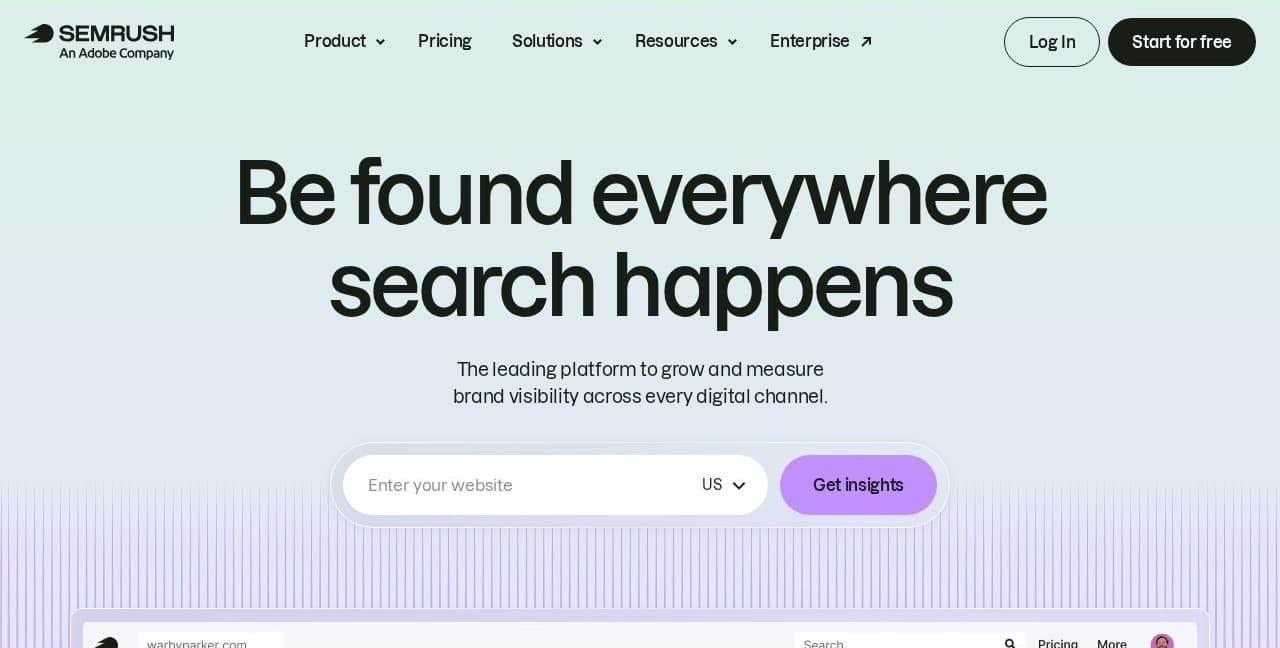
Semrush homepage for its search marketing platform
Pros + Cons

Pros

  • Keyword Analytics for YouTube includes search volume and competitive-rate estimates
  • Surfaces top keywords, fast-growing searches, related terms, and popular videos
  • Simple, straightforward interface that is easy to learn
  • Convenient for teams already managing website SEO in Semrush

Cons

  • The YouTube tool is a third-party App Center add-on, not a core Semrush feature
  • The app requires its own subscription after the trial
  • Capabilities are not as robust as other dedicated YouTube products
Key Features
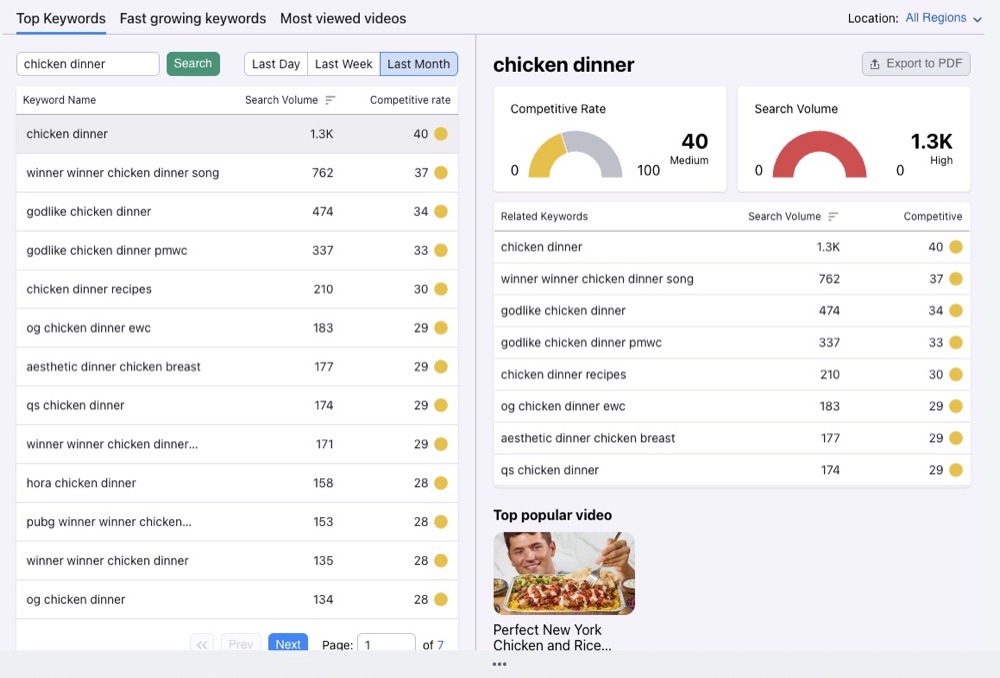
Top keywords
Browse high-volume YouTube searches by country and compare their estimated demand and competitive rate over daily, weekly, or monthly periods.
Semrush YouTube keyword report and related keywords
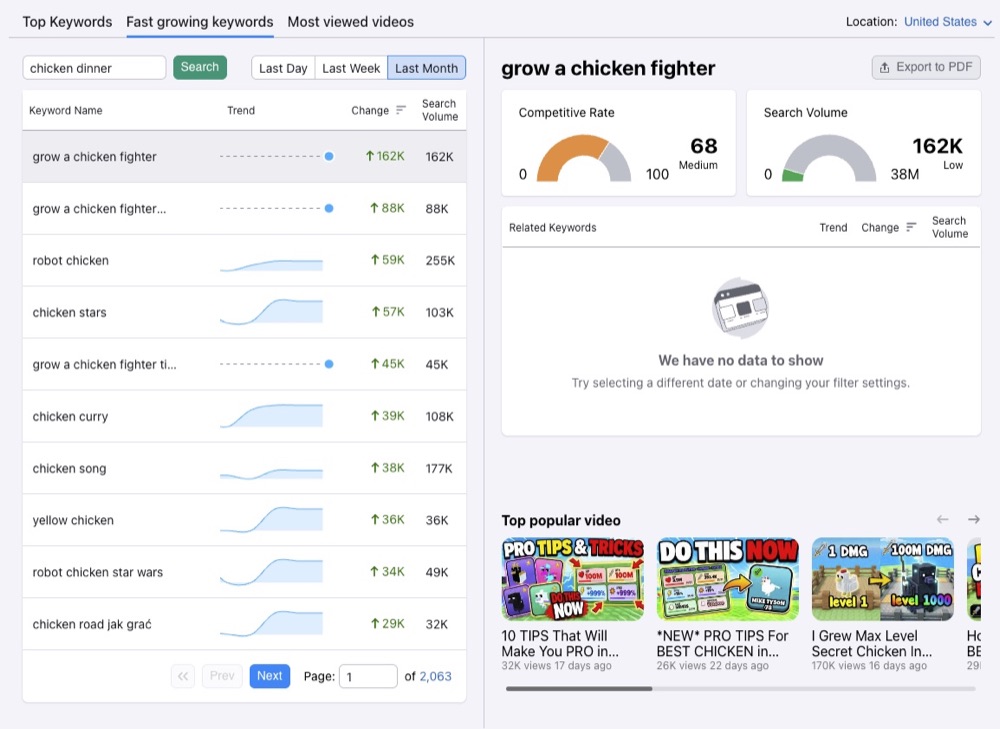
Fast-growing keywords
Find searches gaining momentum and compare recent volume changes with related keywords and currently popular videos.
Semrush fast-growing YouTube keywords report
Pricing
Free trial
Seven days of access to Keyword Analytics for YouTube.
Paid app
$10 per month for Keyword Analytics for YouTube through the Semrush App Center.
4

Best for YouTube rank tracking

TubeRanker: Best for YouTube Rank Tracking

A focused YouTube SEO toolkit built around keyword research, optimization, audits, and monitoring video positions in search.

Recommendation

Choose TubeRanker if tracking where videos rank for target searches is your clearest requirement.

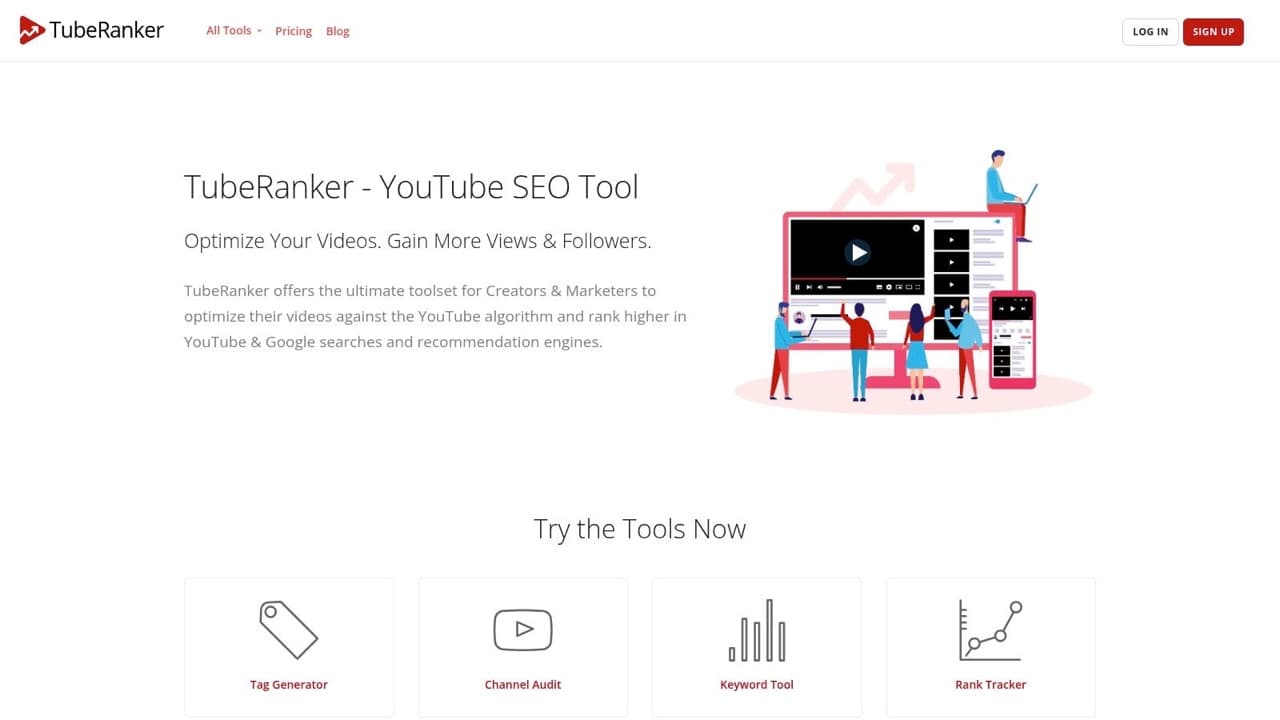
TubeRanker homepage for its YouTube SEO tools
Pros + Cons

Pros

  • Simple tools that are easy to use
  • Includes focused SEO tools without a large social-media suite
  • Provides keyword, tag, title, and description utilities
  • Offers channel and video audit workflows

Cons

  • Tools are easy to use and try, but lack depth and workflow cohesion
  • Has fewer broad creator-growth features than larger platforms
  • Some useful data and tracking require a paid plan
Key Features
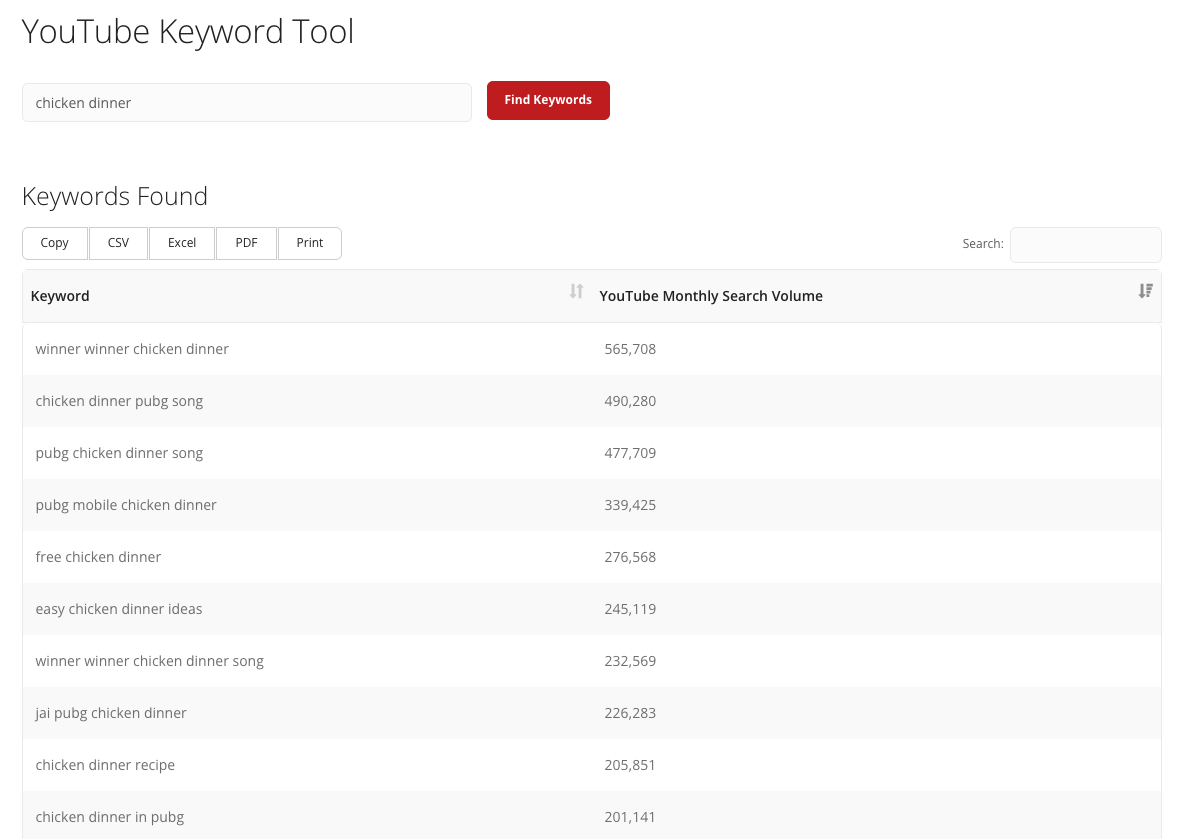
YouTube Keyword Tool
Enter a seed phrase to generate related keyword ideas with modeled monthly YouTube search-volume estimates that can be exported.
TubeRanker YouTube Keyword Tool results
Rank Tracker
Monitor where selected videos appear in YouTube Search for a defined set of target keywords over time.
Metadata and audit utilities
Use separate tools for channel audits, tags, titles, descriptions, hashtags, and extracting metadata from existing videos.
Pricing
Basic
$9.90 per month with 50 keyword searches and 20 tracked keywords.
Advanced
$19.90 per month with 250 keyword searches and 100 tracked keywords.
5

Best free tool for search performance

YouTube Studio: Best Free Tool for Search Performance

YouTube’s first-party dashboard for seeing which search terms bring viewers to your videos and what those viewers do next.

Recommendation

Use YouTube Studio with any research tool because it provides the first-party results needed to validate your SEO decisions.

YouTube Studio logo
Pros + Cons

Pros

  • Provides first-party YouTube Search traffic and search-term data
  • Connects discovery to views, watch time, and audience behavior
  • Includes the Trends tab for audience and topic research
  • Ask Studio can help interpret channel performance and brainstorm ideas
  • Free for every YouTube channel

Cons

  • Does not provide a traditional keyword difficulty score
  • Does not track a video’s exact position for a target keyword
  • Offers less prescriptive metadata guidance than specialist SEO tools
Key Features
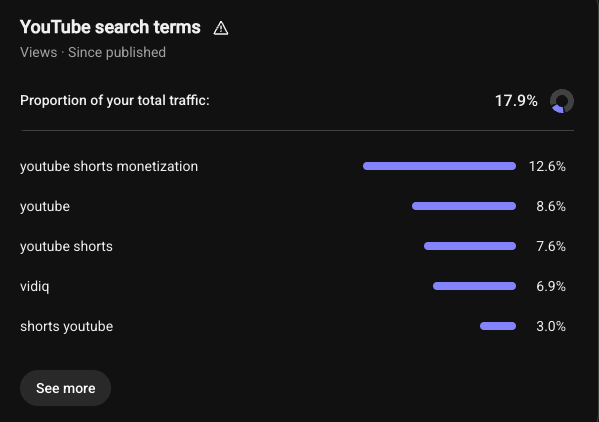
YouTube search terms
See the actual searches that generated traffic for a published video and how much of its total traffic came from YouTube Search.
YouTube Studio report showing search terms and traffic share
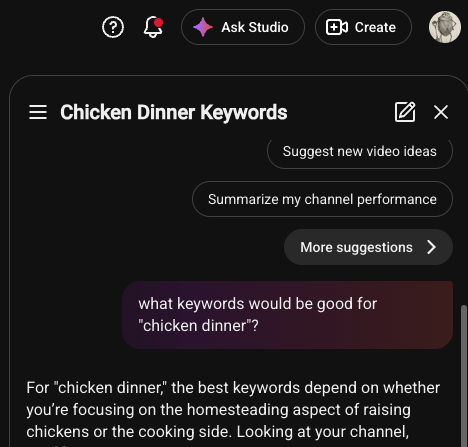
Ask Studio
Ask questions about channel performance, audience feedback, or future video ideas using context from your own channel.
Ask Studio answering a question about video keywords
Pricing
Free
Included with every YouTube channel.

Decision guide

Which YouTube SEO Tool Should You Choose?

Match the tool to the workflow you need most. Then pair it with YouTube Studio to measure what happens after you publish.

Build Your YouTube SEO Stack

Pick your main SEO job to get a simple two-tool starting point. The recommendation always includes YouTube Studio because every serious creator should use it. Read our complete guide to YouTube Studio to get more from its analytics and channel tools.

Recommended starting stack

vidIQ + YouTube Studio

Use vidIQ to research and optimize, then use Studio to confirm which searches produce meaningful views and watch time.

Start with the complete workflow

Research, optimize, and measure your next YouTube search topic

Try vidIQ for keyword research and optimization, then validate the result with your first-party data in YouTube Studio.

YouTube SEO Tools FAQs

vidIQ is the strongest all-around starting point in this comparison because it combines keyword research, competition signals, optimization, and connected-channel insights. The best choice still depends on the job you need to do most often.