ChatGPT for YouTube, backed by real data
Add the vidIQ app to ChatGPT to analyze your YouTube channel, research keywords, and study competitors. Then turn the numbers into a plan for your next video.
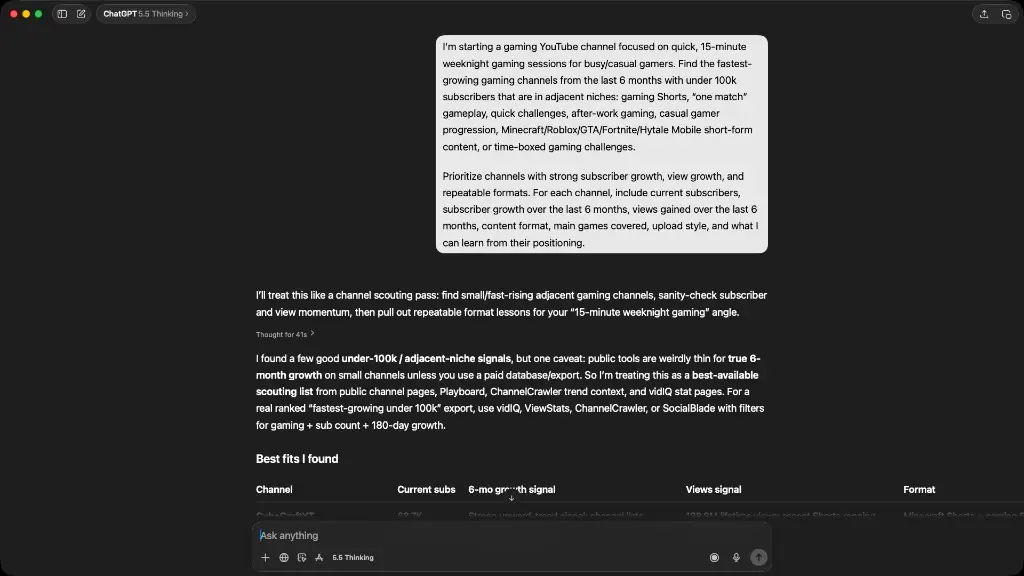
Same question. Now with YouTube data.
See how vidIQ brings channel stats, keyword research, and competitor insights into your ChatGPT conversation.
 Claude
 Cursor
 Codex
Codex OpenClaw
What can you do with vidIQ in ChatGPT?
The vidIQ app connects ChatGPT to YouTube research and analytics. Ask a question in plain English, explore the data, then ask a follow-up to turn what you learn into a plan for your channel.
See what’s working on your channel
Review views, watch time, traffic sources, and top videos for a channel linked to your vidIQ account. Ask ChatGPT to compare periods and suggest what to investigate next.
Find keywords before you hit record
Explore YouTube search volume, competition, and related keywords for your topic. Use that research to choose a video angle and draft a relevant title and description.
Learn from breakout videos in your niche
Compare public channel stats and spot outliers: videos that beat a channel’s usual views. Find the topics and formats worth adapting for your audience.
Turn research into your next video idea
Bring together keyword research, trends, and your recent performance. Ask ChatGPT for a shortlist of video ideas, with the data behind each suggestion and a hook to try.
Your private YouTube analytics require a channel connected to your vidIQ account. Competitor research uses public data; it does not reveal another creator’s private analytics.
How to add vidIQ to ChatGPT
You need a ChatGPT account and a vidIQ account. Add the app, sign in, and ask your first YouTube question. No API key or manual MCP setup needed.
- 1
Open the vidIQ listing in ChatGPT and follow the prompts to add the app.
- 2
Sign in or create your vidIQ account, review the requested permissions, and authorize the connection.
- 3
Start a conversation and type @vidIQ to select the app. Ask about a YouTube channel, video, or topic.
ChatGPT App
 Add to ChatGPT (opens in a new tab)
Sign in to vidIQ and review the requested permissions.
Want help with your own channel? Connect it to your vidIQ account first, then ask: “@vidIQ review my channel’s last 30 days and suggest three videos to make next.” Follow the step-by-step guide to using vidIQ in ChatGPT for more examples.
ChatGPT prompts for YouTube creators
Copy a prompt, replace the [placeholders] with your channel, niche, or audience, and paste it into ChatGPT with vidIQ connected. Each one starts with @vidIQ so ChatGPT uses the app.
52 tools and counting
46 core tools below, plus 6 free utility tools
keyword_research
Find keywords your competitors are sleeping on
outliers
Spot videos that blew up for a reason
generate_clips
Turn a long video into vertical clips
generate_thumbnail
Generate a thumbnail from a prompt
generate_titles
Generate high-CTR title ideas
subscriber_insights
Find your best time to post and who else your fans watch
video_transcript
Read any video without watching it
trending_videos
See what formats are blowing up right now
Plus 6 free utility tools: credits balance, your connected channels, async job tracking, voice library, and feedback. Tool calls draw from your vidIQ plan’s shared credit pool.
Your questions about vidIQ in ChatGPT, answered
Need help getting connected? Read How to use vidIQ in ChatGPT
It connects ChatGPT to vidIQ’s YouTube data and tools. You can research keywords, compare channels, find breakout videos, and explore analytics for your connected channel in a conversation. ChatGPT helps explain the results and turn them into ideas, titles, and next steps for your content.
Yes, with the vidIQ app. On its own, ChatGPT cannot see your private YouTube analytics. Connect vidIQ in ChatGPT and link your YouTube channel to your vidIQ account, then ask about views, watch time, traffic sources, retention, and top videos. Competitor comparisons use public channel and video stats, not another creator’s private analytics.
Yes, connecting is free on every vidIQ plan, including Free. Tool usage draws from your vidIQ plan’s shared credit balance, so free access does not mean unlimited usage. Costs vary by tool, and one prompt can trigger several calls. Ask "@vidIQ how many credits do I have left?" to check your balance for free.
You do not need a paid vidIQ plan. You need a vidIQ account and a ChatGPT account with access to the app. ChatGPT app availability depends on your plan, region, and workspace settings; check the vidIQ listing while signed in. ChatGPT subscriptions are separate from vidIQ and do not add vidIQ credits.
Connect vidIQ, then try: "@vidIQ research YouTube keywords for a beginner home workout video. Compare search volume and competition, suggest related terms, and draft three titles." vidIQ supplies keyword research data so ChatGPT can explain your options. Each keyword research tool call uses 5 vidIQ credits; a prompt that uses several tools can cost more.
Yes. Ask vidIQ to research your niche, related keywords, and breakout videos, then have ChatGPT suggest ideas for your audience and format. For example: "@vidIQ find breakout beginner cooking videos and suggest five original ideas for my channel, with the data behind each." Use the findings to guide your choices; they do not guarantee views.
No. Open the vidIQ listing in ChatGPT, follow the setup prompts, sign in to vidIQ, and authorize the connection. You do not need to paste a server URL or generate an API key. MCP stands for Model Context Protocol, the standard behind the connection; the app handles that setup for you.
Check that vidIQ is connected in ChatGPT and that your channel is linked to the vidIQ account you authorized. Your ChatGPT and vidIQ emails can differ; what matters is which vidIQ account holds your channel. Start a new conversation and ask "@vidIQ list my connected channels." If the wrong account shows up, disconnect vidIQ and reconnect with the right one.
It can edit, not upload. With vidIQ connected through account sign-in, ChatGPT can update an existing video’s title, description, tags, visibility, scheduled publish time, or thumbnail on a channel you own. You approve each change before it is applied, and you may need to verify your YouTube account first. To publish a new video, use YouTube Studio.
Review the permissions when you connect your vidIQ account. The connection uses OAuth, so ChatGPT receives an authorization token rather than your vidIQ password. To revoke the connection, open ChatGPT’s settings, find vidIQ, and disconnect it. You can also review ChatGPT’s data controls for how your conversations and app data are used.
Bring real YouTube data into ChatGPT
Add vidIQ to ChatGPT, ask one question about your channel, and turn the answer into something to try in your next video.
Add to ChatGPT (opens in a new tab)Also works with Claude, Cursor, Perplexity, OpenClaw, Grok, Codex, Gemini CLI and any MCP-compatible tool. Available on every vidIQ plan, including Free.