


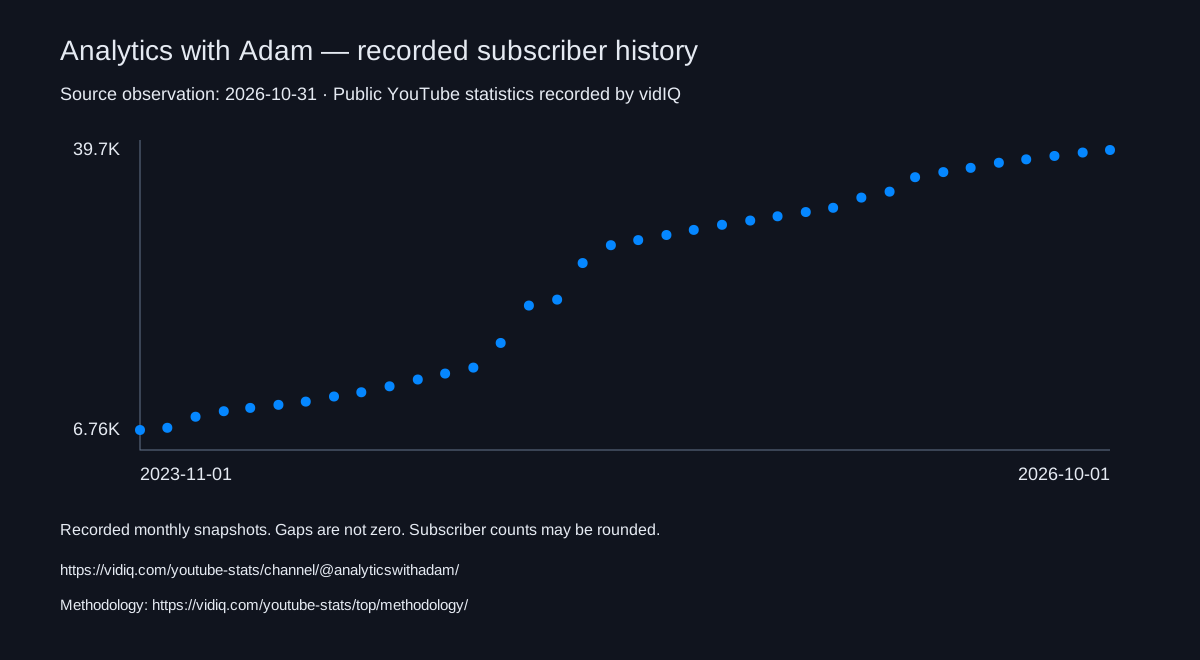
As of 2026-10-31, Analytics with Adam has 45,900 subscribers, 3,754,345 total views, and 353 videos. Ranked #1,286,163 worldwide, #916 in Ireland and #27,031 in Technology by subscribers.
Analytics with Adam’s most recent 48 uploads
- The latest upload vidIQ has for Analytics with Adam is “KPIs Explained: When the Metric Becomes the Goal”, a Short published Oct 29, 2026.
- These are Analytics with Adam’s 48 most recent public uploads vidIQ has data for, published between Feb 19, 2026 and Oct 29, 2026 (24 long-form videos and 24 Shorts).
- Median views across these 48 uploads: 1,025. 24 videos are above that median and 24 below.
- Most viewed in the sample: “Google Sheets AI Agent Builds Entire Dashboards in Seconds” (18,617 views, May 4, 2026). Least viewed: “The secret to never manually sending an invoice reminder again” (141 views, Oct 2, 2026).
- Median length: 7:11 for 24 long-form videos; 0:54 for 24 Shorts.
- In this sample, Analytics with Adam’s consecutive uploads were a median of 4 days apart (shortest gap 0 days, longest 15 days).
- Views are lifetime totals as of Oct 31, 2026, so newer uploads have had less time to collect them. These figures describe only the videos listed here, not the whole channel, and do not show why any video performed as it did. Dates are UTC.
vidIQ MCP
Audit Analytics with Adam in ChatGPT or Claude
Add vidIQ to your AI assistant and ask “Audit Analytics with Adam’s last 48 videos and tell me which ones got more views than the median of those videos.” It answers with live vidIQ data. Included in every plan, even Free.
This page covers public data only. A channel owner can connect their own YouTube channel to vidIQ to add private analytics, such as retention and traffic sources, to the audit.
 Add to ChatGPT
 Add to Claude
Counts reflect public YouTube data and may be rounded. Earnings are modelled ad revenue estimates, not reported creator income; sponsorships, memberships and merchandise are excluded.
The exact earnings measurement window is unavailable.
Data sources and methodologyCite these statistics
vidIQ. As of 2026-10-31, Analytics with Adam has 45,900 subscribers, 3,754,345 total views, and 353 videos. It ranks #1,286,163 by subscribers among channels tracked by vidIQ. Source: public YouTube statistics recorded by vidIQ. https://vidiq.com/youtube-stats/channel/@analyticswithadam/ Methodology: https://vidiq.com/youtube-stats/top/methodology/
YouTube sourceShareable history chartResearch and media guide
See stats like these on every channelSee stats like these on every channel you visit
Subscribers, views, earnings, and rankingsSubscribers, views, earnings, rankings, and more. Right inside YouTube, free forever.