Free YouTube Tag Generator
Free YouTube Tag Generator: Find the Best Tags in Seconds
Effortlessly generate tags for your videos using our free YouTube tag generator. Get the most relevant tags in seconds to boost visibility.
Tag Generator helps you
Get discovered in more searches
Get tags built around the right keywords so your videos surface where your audience is already looking.
Skip the guesswork
Stop wasting time brainstorming tags manually. Get instant, relevant suggestions based on your video topic.
Keep tags accurate and effective
Irrelevant tags mislead viewers and hurt engagement. Our generator only suggests tags that match your content.
YouTube Tags Best Practices, Built Right In
Using the right tags won't guarantee more views, but they can help your content get discovered when they're accurate, keyword-driven, and up to date.
Prioritize Relevance
Only add tags that clearly describe your video's topic. Irrelevant tags can mislead viewers and hurt engagement.
Use Keywords Thoughtfully
Include your main keywords and related phrases. Our generator surfaces relevant terms you may not think of on your own.
Add Long-Tail Variations
Mix in longer, specific phrases like "growing tomatoes indoors" instead of just "tomatoes" to compete in less crowded spaces.
Keep It Simple
Tag stuffing doesn't work. Focus on a clean set that accurately reflects your content for maximum impact.
Want more AI-powered creator tools?

20k+ 5 Star Reviews
“We use vidIQ every day to manage keywords, audit video performance, and research.”

Think Media
3M Subscribers • 340M Views
“vidIQ's extension and keyword research tools have helped me discover new opportunities on YouTube.”

Ali Abdaal
5M Subscribers • 420M Views
“vidIQ's daily ideas is where I find inspiration for my next hit video.”

SB737
4M Subscribers • 1B Views
“vidIQ has helped me beat the YouTube game and discover MILLIONS of untapped views.”

The Spiffing Brit
8M Subscribers • 833M Views
“vidIQ helps me in many ways. One is their Video Boost which finds the most relevant keywords.”

Chad Wild Clay
14M Subscribers • 7B Views
“vidIQ has an awesome suite of services. I recommend all of my companies use it for YouTube.”

Mark Cuban
Entrepreneur • vidIQ Investor
“We use vidIQ every day to manage keywords, audit video performance, and research.”
Think Media
3M Subscribers • 340M Views
“vidIQ's extension and keyword research tools have helped me discover new opportunities on YouTube.”
Ali Abdaal
5M Subscribers • 420M Views
“vidIQ's daily ideas is where I find inspiration for my next hit video.”
SB737
4M Subscribers • 1B Views
“vidIQ has helped me beat the YouTube game and discover MILLIONS of untapped views.”
The Spiffing Brit
8M Subscribers • 833M Views
“vidIQ helps me in many ways. One is their Video Boost which finds the most relevant keywords.”
Chad Wild Clay
14M Subscribers • 7B Views
“vidIQ has an awesome suite of services. I recommend all of my companies use it for YouTube.”
Mark Cuban
Entrepreneur • vidIQ Investor
“We use vidIQ every day to manage keywords, audit video performance, and research.”
Think Media
3M Subscribers • 340M Views
“vidIQ's extension and keyword research tools have helped me discover new opportunities on YouTube.”
Ali Abdaal
5M Subscribers • 420M Views
“vidIQ's daily ideas is where I find inspiration for my next hit video.”
SB737
4M Subscribers • 1B Views
“vidIQ has helped me beat the YouTube game and discover MILLIONS of untapped views.”
The Spiffing Brit
8M Subscribers • 833M Views
“vidIQ helps me in many ways. One is their Video Boost which finds the most relevant keywords.”
Chad Wild Clay
14M Subscribers • 7B Views
“vidIQ has an awesome suite of services. I recommend all of my companies use it for YouTube.”
Mark Cuban
Entrepreneur • vidIQ Investor

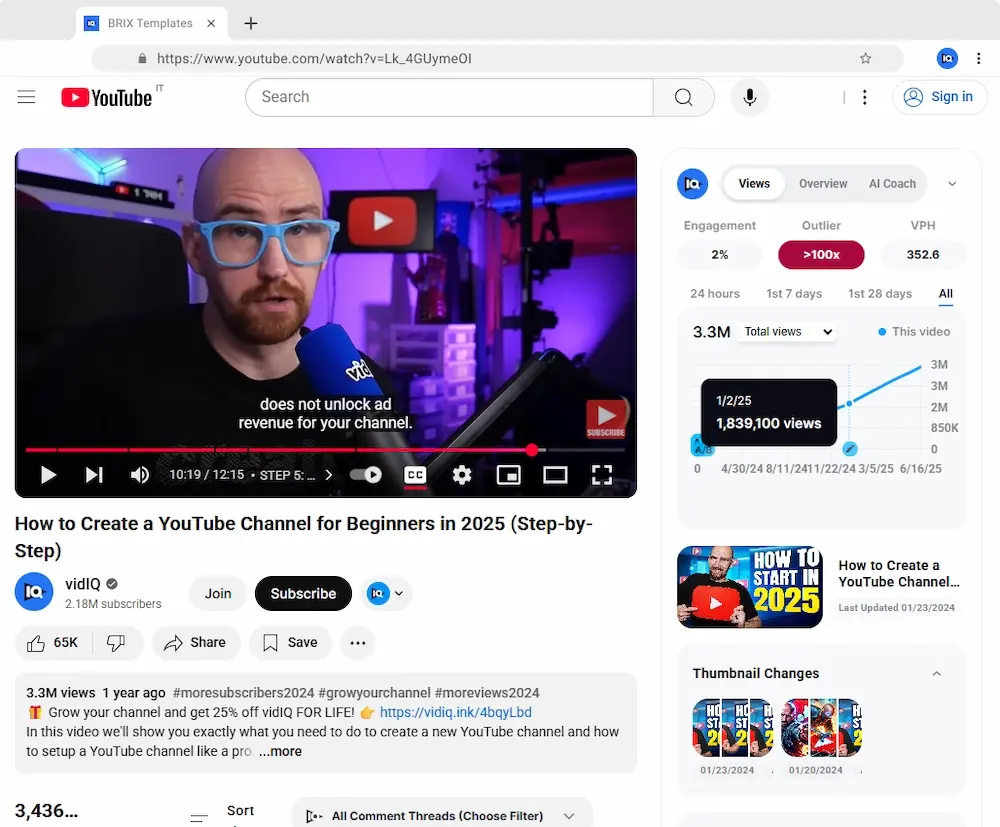
Add tags to your videos directly in YouTube.
No copy-pasting needed — vidIQ's extension lets you apply tags right inside YouTube Studio.

Pair with Other vidIQ Tools
YouTube Title Generator
Create keyword-rich, compelling titles that drive clicks. Pair strong titles with optimized tags for the best discoverability.
YouTube Keyword Generator
Discover trending, high-impact keywords your audience is already searching for. Use these insights to guide your tag strategy.
YouTube Description Generator
Write SEO-optimized descriptions that complement your tags and help YouTube understand your content.
All included with a free vidIQ account
FAQs
Try our YouTube Tag Generator free and get the best tags for your next video in seconds.