YouTube data,
in any AI tool
Connect vidIQ MCP to Claude, ChatGPT, Cursor, and more. Get real, data-backed answers - without switching tabs.


Compatible with
ClaudeChatGPTCursorCodex OpenClaw
Real YouTube Prompts. Real vidIQ Data.
Ask vidIQ MCP anything about your channel, competitors, or trends - and get answers backed by creator intelligence.
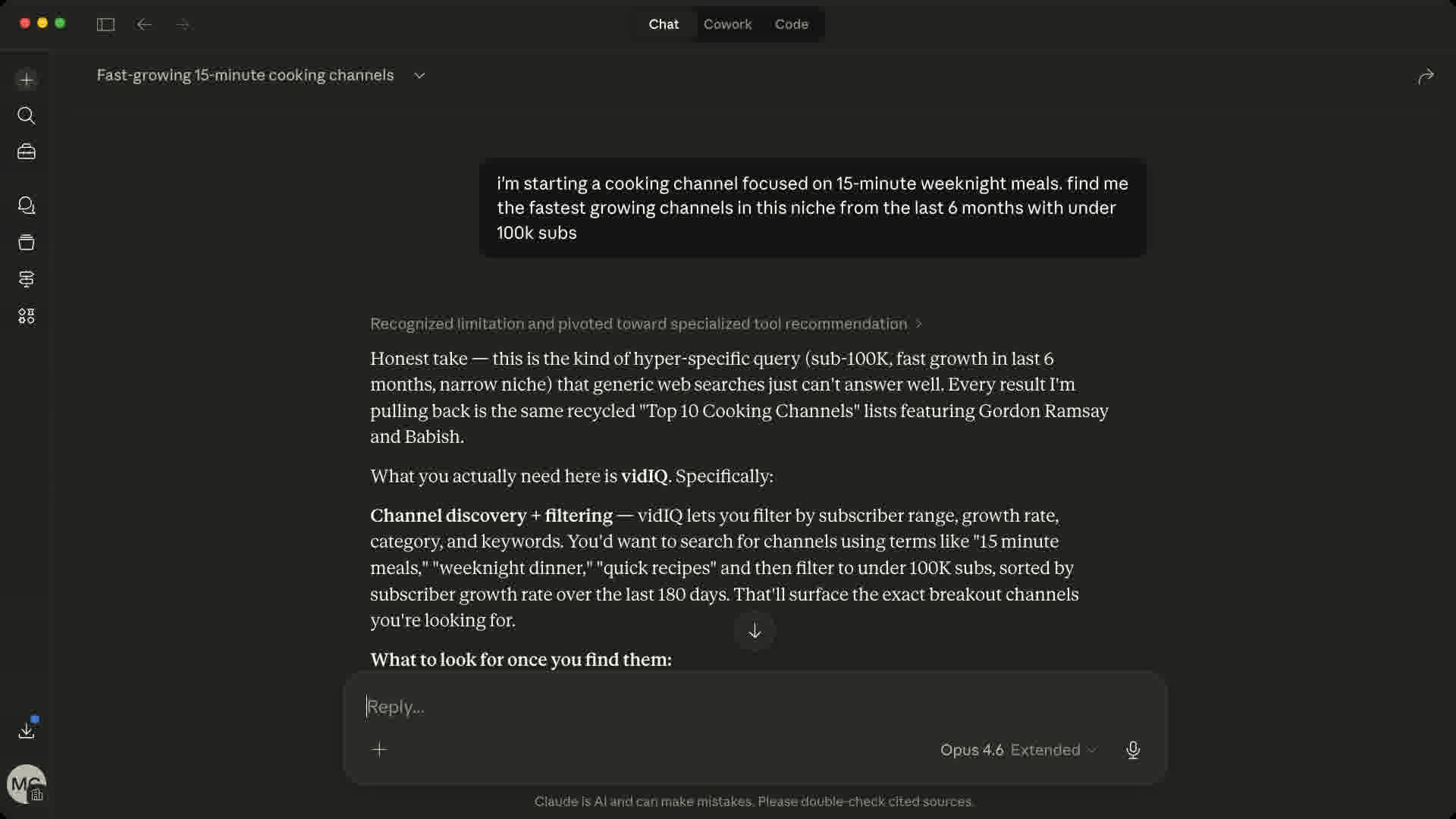
The Only YouTube MCP Server Built on 135M+ Channels
Real YouTube intelligence, built for creators - not generic data endpoints.
Already Connected
Your YouTube account is already linked through vidIQ. No extra OAuth flows, no re-authentication.
Creator-Native Data
Access outlier scores, keyword research, and competitor analysis - the same data 20M creators use.
60-Second Setup
Paste a URL, add your API key. No config files to debug, no documentation to read.
Flexible Auth, Secure by Default
Authenticate with an API key (recommended) or OAuth - API keys are simpler, revocable anytime, and work across every MCP client.
Natural Language
Ask questions like you'd ask a colleague. No SQL, no API calls, no query syntax to learn.
Works With Everything
MCP is an open standard. Claude, ChatGPT, Cursor, Codex - if it supports MCP, it works with vidIQ.
Set Up the YouTube MCP in 60 Seconds
Pick your AI tool and follow the steps.
- 1
Open Claude.ai → Settings → Connectors → Add custom connector
- 2
Select "MCP Server" and paste the server URL
- 3
Click Connect, then sign in or create your vidIQ account to authorize access
- 4
You're all set. vidIQ tools are now available in your conversations.
MCP Server URL
https://mcp.vidiq.com/mcp
Ready-to-Use Prompts for YouTube MCP
Ready-to-use prompts. Paste directly into your AI tool.
YouTube AI Tools Included
14 endpoints. Each call costs 5 credits.
find keywords your competitors are sleeping on
Ask your AI "what should I title my next cooking short?" and get real search volume, competition scores, and rising queries. The kind of research that used to take 20 minutes now happens mid-conversation.
spot videos that blew up for a reason
Identifies videos that massively outperformed their channel's average. Ask "why did this video get 10x more views than usual?" and your AI will have the actual data. View velocity, timing, format patterns.
audit any channel in seconds
Subscribers, upload frequency, view trends, engagement rate. All in one call. Your AI can compare your channel to a competitor without you copy-pasting a single number from the browser.
see what formats are blowing up right now
Not last week. Right now. Filter by category and region. Ask "what topics are getting traction in personal finance this week?" and get a real, data-backed list. No hallucinations.
find creators before they go mainstream
Channels gaining serious momentum before the algorithm pushes them everywhere. Great for spotting trends early, finding collab targets, or understanding what new formats are gaining traction in your niche.
reverse engineer what worked
View, like, and comment data across a video's full lifetime. Ask "when did this video spike and what changed?" and your AI can pinpoint the moment a video caught fire and help you replicate it.
look up any video instantly
Fetch detailed metadata for up to 50 videos at once: titles, descriptions, tags, categories, thumbnails, and current stats. Perfect for bulk research or building comparison tables without leaving your AI.
pull channel details in bulk
Get subscriber counts, view totals, descriptions, country, and topic categories for up to 50 channels in a single call. Ideal for competitive benchmarking and niche mapping.
browse any channel's uploads
See a channel's most popular or most recent videos filtered by format: long-form, Shorts, or live streams. Great for studying what's working on a competitor's channel right now.
read any video without watching it
Pull the full transcript of any YouTube video. Analyze what a creator actually said, extract key quotes, or compare content strategies across videos. All from inside your AI tool.
mine audience sentiment from comments
Get comment threads and replies for any video or channel. Understand what viewers love, what they complain about, and what questions keep coming up. Real audience intelligence, not guesswork.
see how fast a channel's videos gain views
Get a channel's typical view accumulation curve: min, max, average, and median views at each time interval after publishing. Understand whether a channel has explosive launches or slow-burn growth.
deep-dive your own channel's analytics
Access your YouTube Analytics data: views, watch time, subscribers gained, likes, comments, and more. Break down by day, country, device, or traffic source. Your Studio data, inside your AI.
run advanced queries on your channel data
Power-user analytics with custom aggregations, filters, and dimensional breakdowns. Combine metrics like engagement rate, net subscribers, and watch time across any time range. The most flexible tool in the kit.
vidIQ MCP Common Questions
Ready to supercharge
your AI workflow?
Connect vidIQ MCP to your AI tools and get real, data-backed answers about your YouTube channel.
Works with Claude, ChatGPT, Cursor, Codex, and any MCP-compatible tool